Topics
Topics helps you find Bible passages connected to a subject, such as grace, forgiveness, anxiety, marriage, or prayer. Instead of searching for one word inside the Bible text, you can explore verses that have been grouped by what they are about.
What Topics does
Section titled “What Topics does”Topics searches a topical Bible index and returns passages related to the subject you enter. This makes it useful when the Bible discusses an idea using several different words or expressions.
For example, a text search for worry looks for that word in the Bible text. A Topics search can lead you to passages about worry or anxiety even when they do not use the exact word you entered.
When you might use it
Section titled “When you might use it”- Find passages related to a question or concern.
- Prepare for a Bible study, sermon, lesson, or conversation.
- Explore how different parts of the Bible address the same subject.
- Find a more specific topic when your first search is too broad.
- Move from a topical list into the Reader to study a passage in context.
Where to find Topics
Section titled “Where to find Topics”- Open the main GospelGrasp menu.
- Tap Topics.
The Topics screen opens with the question What does the Bible say about…? and a topic search field.
The search field on this screen is for subjects. The search control in the top navigation remains available for opening a Bible book, chapter, verse, or verse range.
See it in GospelGrasp
Section titled “See it in GospelGrasp”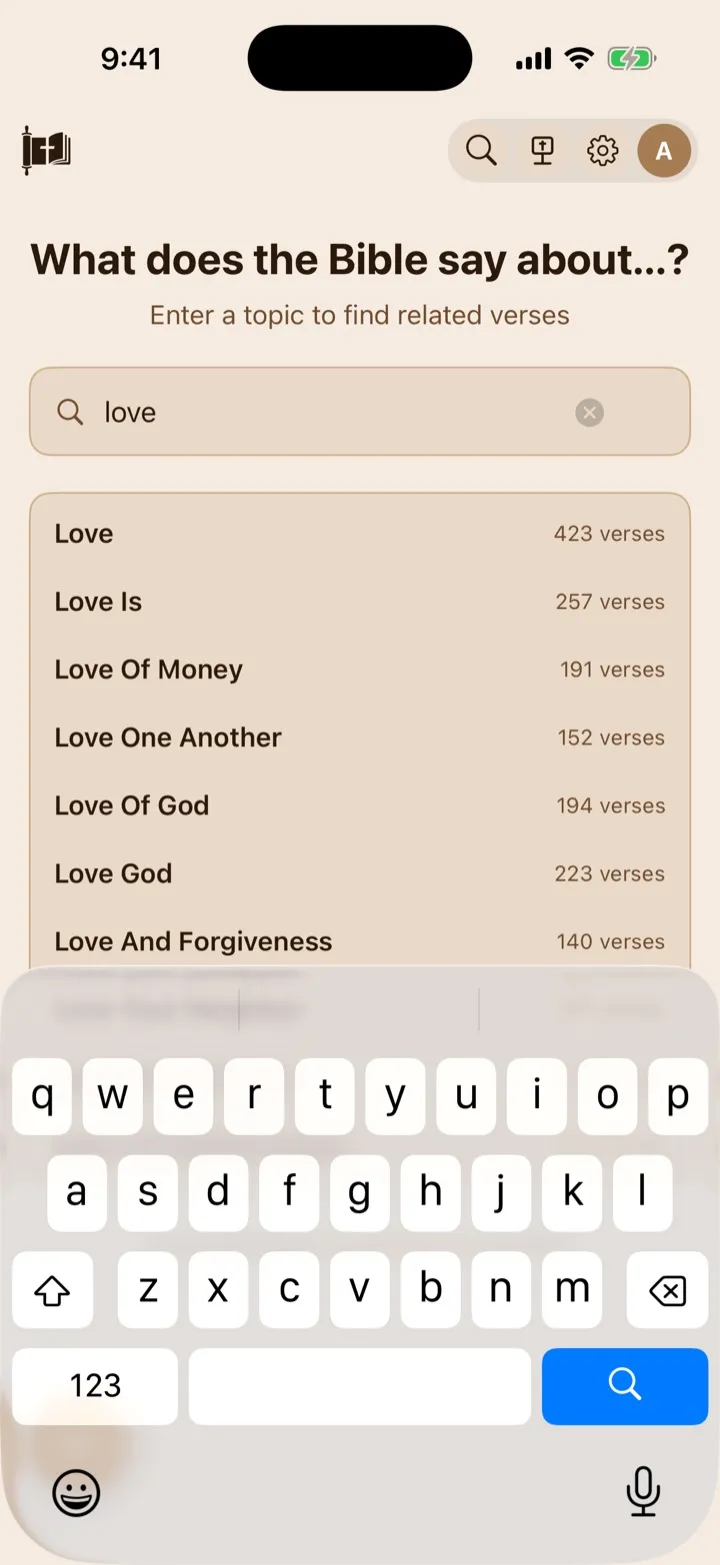
Suggestions help you choose the intended topic before opening its verses.
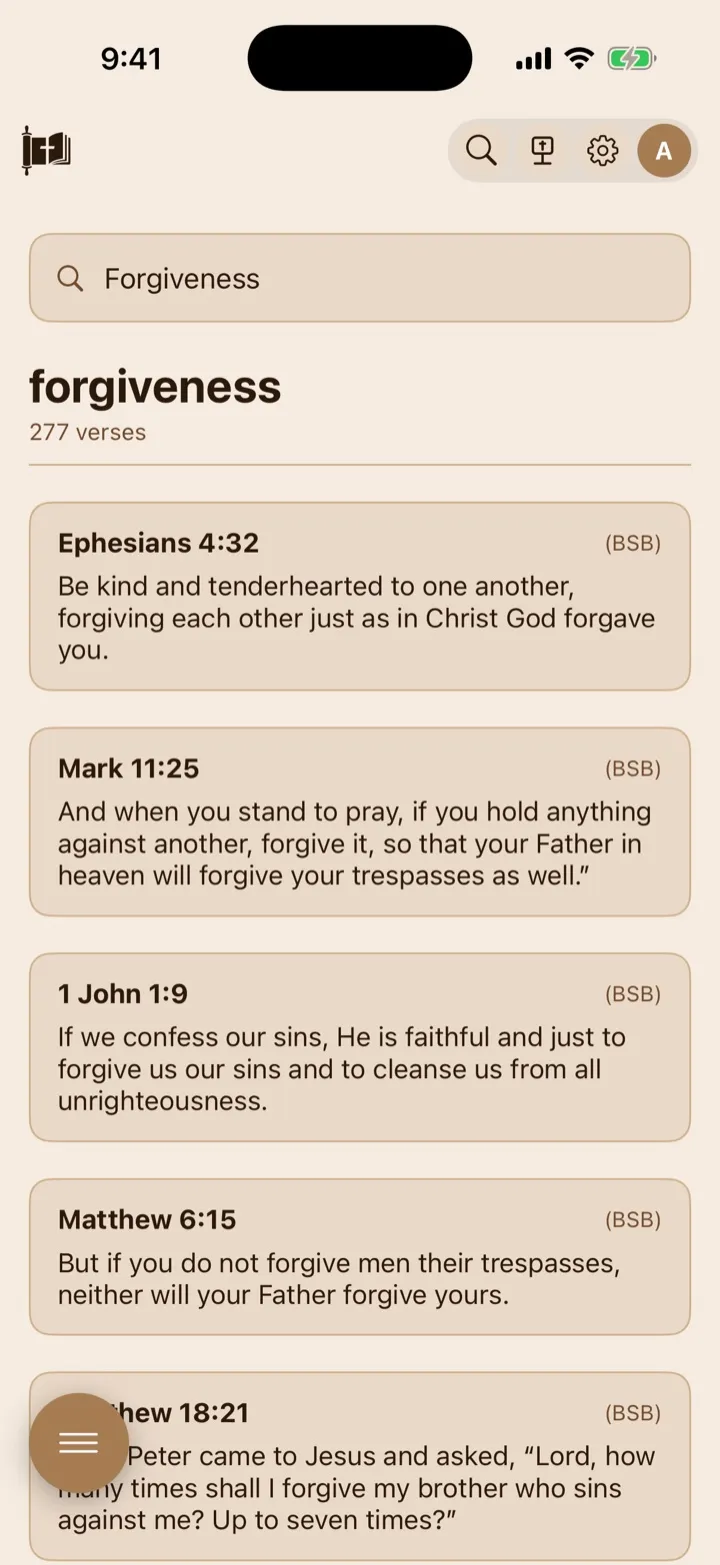
A topic page gathers related passages into one browsable list.
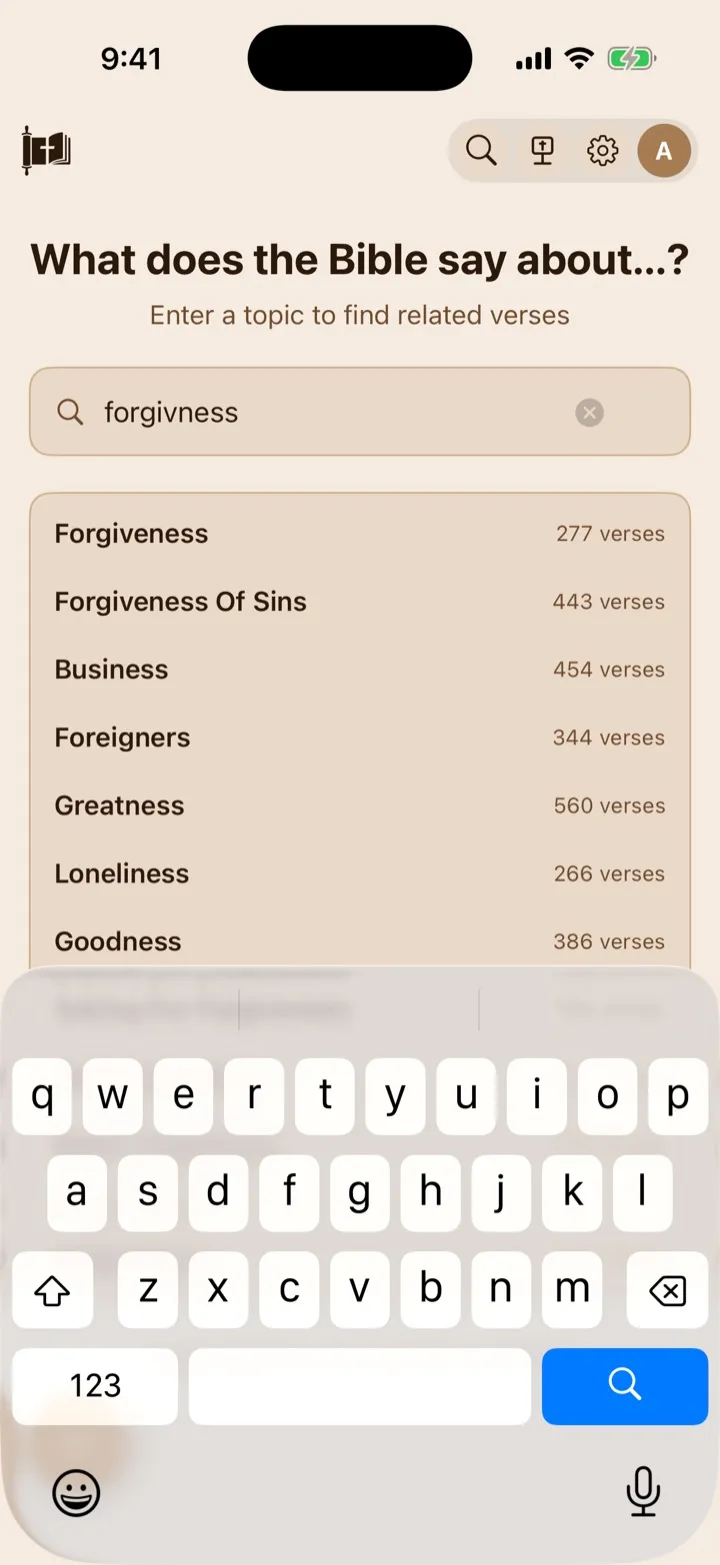
GospelGrasp suggests the closest topics even when the search contains a spelling mistake.
Search for a biblical topic
Section titled “Search for a biblical topic”- Tap What does the Bible say about….
- Enter a subject, such as grace, prayer, or forgiveness.
- Tap a suggested topic, or tap Search on the keyboard to search for the words you entered.
Suggestions begin appearing after you enter at least two characters. Each suggestion shows the topic name and the total number of verses connected to that topic.
GospelGrasp can recognize many partial searches, related terms, and spelling mistakes. If it cannot confidently match what you entered, it may place likely options under Did you mean…?. Tap an option to open it.
You can still press Search when no suggestions appear. GospelGrasp will make one more attempt to find the closest topic.
Understand a corrected topic
Section titled “Understand a corrected topic”When GospelGrasp matches your search to a different topic name, it displays a notice such as Showing results for “Grace.” This can happen after a spelling mistake, a partial topic name, or a search for a closely related term.
Check the notice and the large topic heading before using the results. If the matched topic is not what you meant, edit the search and try a more specific word or phrase.
GospelGrasp does not show a technical match score. The correction notice is the user-facing indication that it matched your search to another topic.
Browse the topic results
Section titled “Browse the topic results”The topic heading shows the total number of passages connected to that topic. Beneath it, each passage card shows:
- the Bible book, chapter, and verse;
- a BSB label; and
- the verse text.
BSB means Berean Standard Bible. Topic result cards currently use this translation even when you normally read another Bible version.
The topical source uses community votes to rank how closely passages relate to a topic. GospelGrasp uses that ranking to place the strongest matches first, but it does not display the individual vote totals. A higher position means the passage was ranked as more relevant; it does not mean the verse is more inspired, important, or authoritative than another part of Scripture.
The topic heading can describe more passages than are visible in the list. GospelGrasp currently displays up to the first 50 ranked passages for one topic. There is not currently a button to load the remaining passages.
Open a topic verse in the Reader
Section titled “Open a topic verse in the Reader”Tap any passage card to open that verse in the Reader. From there, you can read the surrounding verses and chapters, change Bible versions, and use the normal Reader study tools.
Reading the surrounding passage matters because the Topics list shows one verse at a time. Its meaning is best understood in the setting of the chapter, book, and Bible as a whole.
What GospelGrasp saves or syncs
Section titled “What GospelGrasp saves or syncs”Topics does not save or sync your search words, suggestion list, selected topic, or place in the results list. These are temporary for the current visit.
Opening a result in the Reader works like other Reader navigation. Your normal reading position can update after you begin reading there.
Requirements and limits
Section titled “Requirements and limits”- Topics requires an internet connection. Topic names, suggestions, and results are requested when you search and are not available as an offline catalog.
- Topic result cards use the Berean Standard Bible.
- GospelGrasp currently shows up to 50 ranked passages for one topic.
- Topics does not currently include filters for Bible book or testament.
- You cannot save, share, or create a topic list from the Topics screen.
- Topic groupings can help you discover passages, but they are not a substitute for reading Scripture in context.
If something does not work
Section titled “If something does not work”Suggestions do not appear
Section titled “Suggestions do not appear”Enter at least two characters and pause briefly. If suggestions still do not appear, check your internet connection. You can also press Search to submit the topic directly.
GospelGrasp shows a different topic than I entered
Section titled “GospelGrasp shows a different topic than I entered”Read the Showing results for… notice. GospelGrasp may have corrected a spelling mistake or selected a related topic. If the match is not useful, try a clearer or more specific search.
The screen says Topic not found
Section titled “The screen says Topic not found”Try a shorter or more common name for the subject. You can also begin typing a related word and choose one of the suggestions or Did you mean…? options.
The screen says Topics search needs to be online
Section titled “The screen says Topics search needs to be online”Reconnect the device to the internet and search again. The Reader can provide offline Bible reading, but the topical catalog itself currently requires a connection.
The screen says something went wrong
Section titled “The screen says something went wrong”The Topics service may be temporarily unavailable. Confirm that the device is online, then try the search again. If the same search repeatedly fails, report it through Support and include the topic you entered.
A result says Verse text unavailable
Section titled “A result says Verse text unavailable”Tap the passage card to open the reference in the Reader. If the verse is also missing there, report the reference through Support.
Common questions
Section titled “Common questions”Is Topics the same as searching the Bible text?
Section titled “Is Topics the same as searching the Bible text?”No. A Bible text search looks for the words you entered. Topics looks for passages that have been connected to the subject, even when the verse uses different wording.
Why are the result cards in the BSB?
Section titled “Why are the result cards in the BSB?”The topical catalog is currently connected to Berean Standard Bible verse text. After opening a result in the Reader, you can use your selected Bible version and read the larger passage.
Does the verse count match the number of cards on the screen?
Section titled “Does the verse count match the number of cards on the screen?”Not always. The heading shows the total number of passages connected to the topic, while GospelGrasp currently displays up to the first 50 ranked results.
Do community votes determine what the Bible teaches?
Section titled “Do community votes determine what the Bible teaches?”No. They only help order the passages in this topical index. Use the list as a starting point, then read each passage in context and compare it with the rest of Scripture.
Can I use Topics offline?
Section titled “Can I use Topics offline?”No. Topic search and results currently require an internet connection. After you open a result, Scripture that is already stored in the Reader can remain available offline.