AI Study
AI Study gives you a guided study of the complete passage around a verse. It brings together the passage, its setting, verse-by-verse explanations, original-language details, related Scripture, and practical reflection in one scrolling view.
The end of each study includes Generated by AI. Verify against Scripture. as a reminder to review important claims.
What AI Study does
Section titled “What AI Study does”When you open AI Study from a verse, GospelGrasp identifies the pericope that contains it. A pericope is a complete passage that forms one scene, story, or unit of thought. The study covers that full passage rather than explaining the selected verse by itself.
For example, opening AI Study from one verse in a parable may open a study of the entire parable. Other verses in that same passage lead to the same study.
When you might use it
Section titled “When you might use it”- Understand how a verse fits into its surrounding passage.
- Review the historical, cultural, and literary setting.
- Work through a passage verse by verse.
- Examine important Hebrew or Greek words.
- Follow related Scripture and larger biblical patterns.
- Prepare questions for personal study, a group, lesson, or sermon.
Where to find AI Study
Section titled “Where to find AI Study”AI Study is available from a verse in the Reader:
- Swipe the verse to reveal its actions.
- Tap Study.
GospelGrasp opens the AI Study for the complete passage containing that verse.
See it in GospelGrasp
Section titled “See it in GospelGrasp”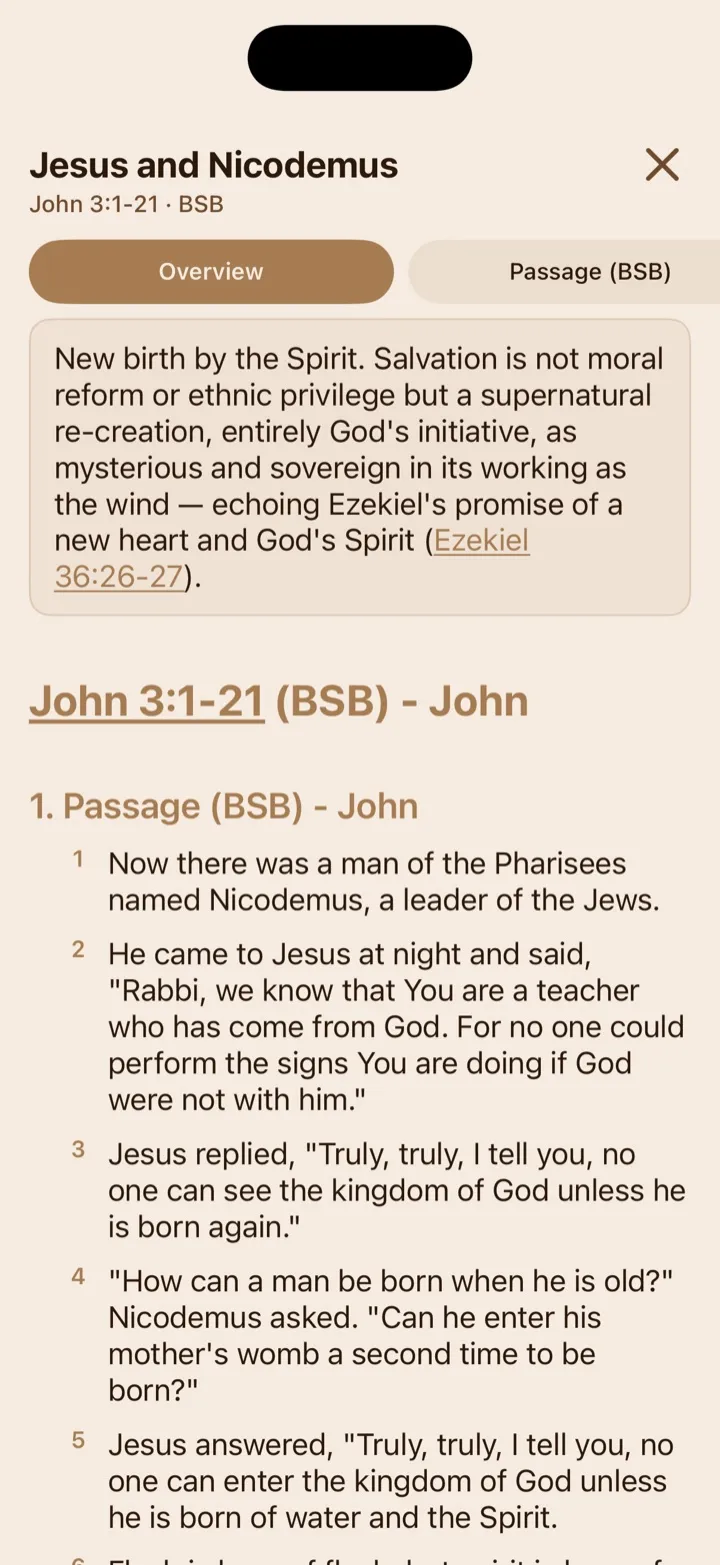
The overview introduces the passage before you move into its detailed sections.
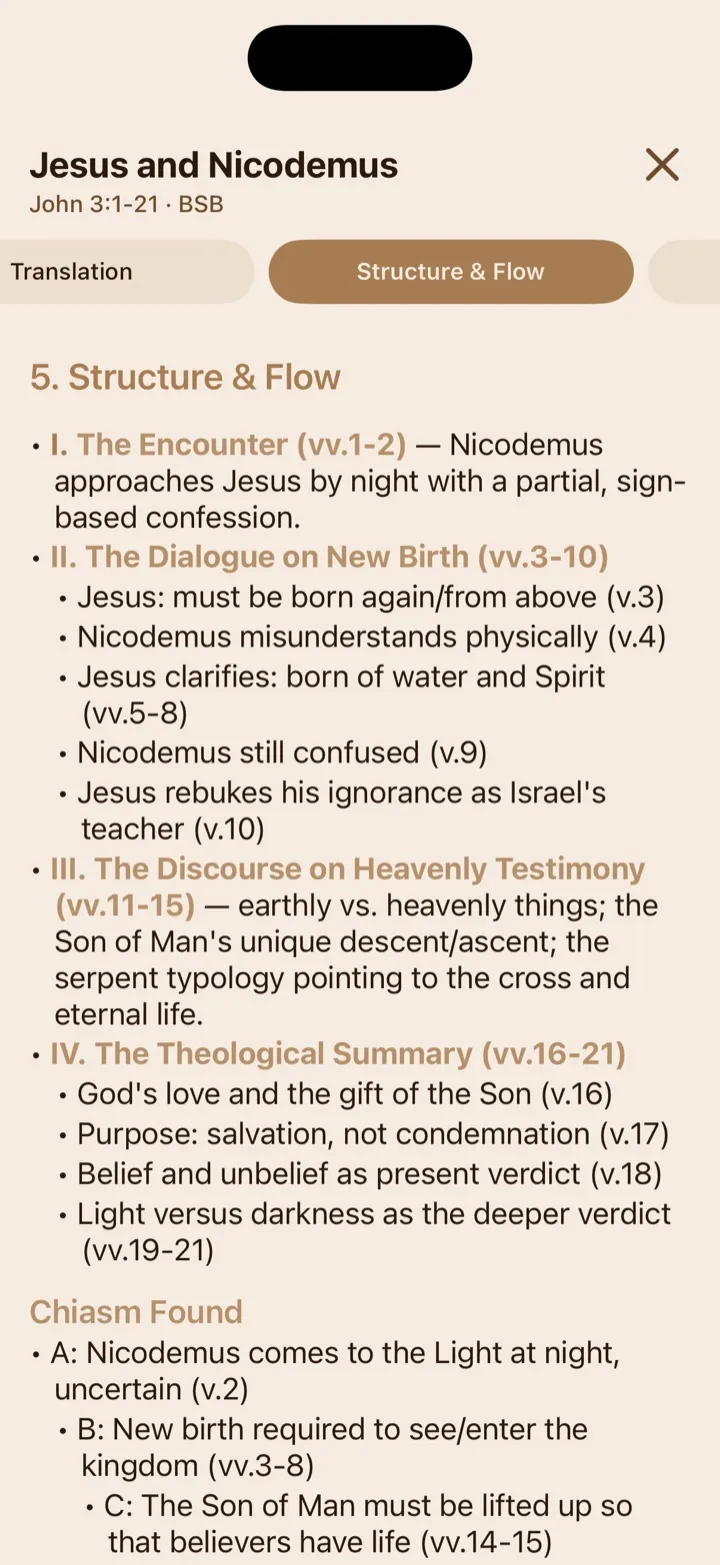
Study sections can combine an outline, Scripture text, and defined literary patterns.
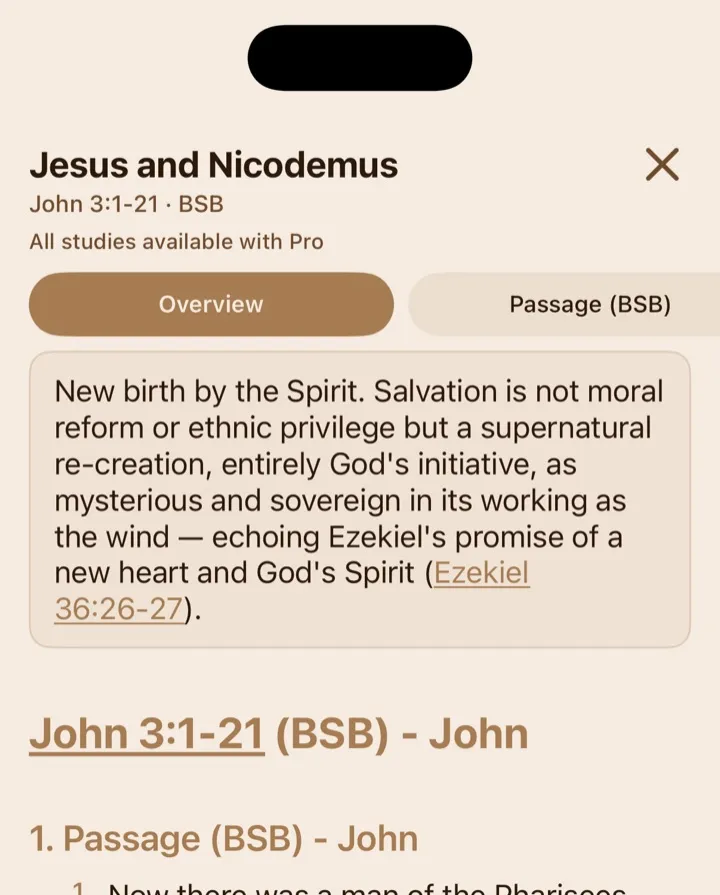
An opened saved study shows its passage and your current study access at the top.
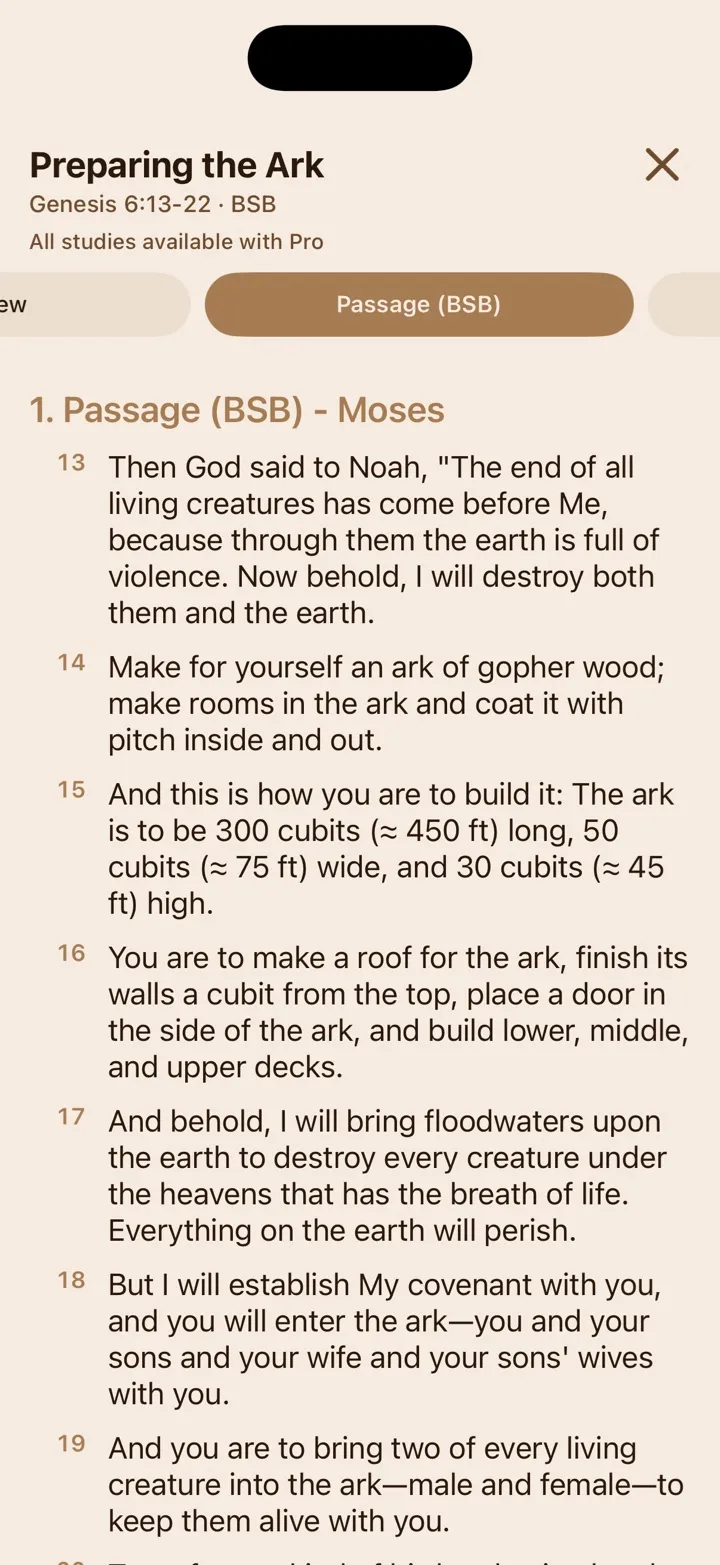
Supported measurements show their approximate modern equivalents inline, beside the original biblical units.
Open and navigate a study
Section titled “Open and navigate a study”GospelGrasp shows progress messages while a study loads. Some studies may take longer to open than others.
At the top, you will see the passage title, Scripture reference, and Bible translation used for the study. A short summary appears before the full study when one is available.
The row of section names beneath the header helps you move through a long study:
- Tap a section name to jump to it.
- Scroll normally to read the study from beginning to end.
- The active section changes as you scroll.
Tap the close button when you are finished.
What a study may include
Section titled “What a study may include”The exact contents depend on the passage. A complete study can include:
- Passage — the Scripture text for the complete passage.
- Context — its literary setting, historical or cultural background, and place within the Bible as a whole.
- Verse-by-Verse — a short explanation of each verse.
- Translation — important Hebrew or Greek words and meaningful differences among translations.
- Structure & Flow — an outline showing how the passage’s ideas develop.
- Theology & Themes — central truths and repeated ideas.
- Cross-References & Echoes — related passages, quotations, and clear connections elsewhere in Scripture. An allusion is an indirect reference to another passage without quoting it word for word.
- Meditation & Practice — prompts for reflection, prayer, and application.
- Geography & Visual Context — relevant places, terrain, distances, and a map where supporting data is available.
- Character Graph — relationships among people in the passage where the necessary information is available.
- Measurement & Value Conversions — biblical lengths, distances, weights, volumes, or money explained with an approximate modern equivalent when the passage contains them.
- Cultural customs, everyday life, imagery, or a historical timeline when they help explain the passage.
A study may also identify a chiasm, a mirrored writing pattern in which later ideas repeat earlier ideas in reverse order, often drawing attention to the center. GospelGrasp omits sections and visual cards that do not apply or do not have enough supporting information.
Understand measurement and value conversions
Section titled “Understand measurement and value conversions”When a passage uses a supported biblical measurement, GospelGrasp keeps the original term and adds an approximate modern equivalent in parentheses. For example, fifty cubits can appear as fifty cubits (≈ 75 ft). Supported conversions include common biblical units of length, travel distance, weight, and volume.
Ancient money does not have an exact modern exchange rate. GospelGrasp estimates its value from the number of ordinary workdays that amount represented and displays an approximate dollar range. For example, two denarii can appear as two denarii (≈ $160–$240). The study may also explain the amount as days’ wages or describe what it could buy at the time.
Measurement & Value Conversions appears as its own study section only when the passage contains measurements or money that need explanation. Supported conversions may also appear beside those terms elsewhere in the study.
Use Scripture links and study tools
Section titled “Use Scripture links and study tools”Scripture references inside a study appear as links. Tap one to review the referenced passage and open it in the Reader when you want to continue there.
Where supported, original Hebrew or Greek words include pronunciation and definition tools. Maps and character graphs use the same supporting study data as GospelGrasp’s Lens features.
AI Study credits and account access
Section titled “AI Study credits and account access”Free and 4F accounts use one credit the first time they open a new passage study. Opening another verse within that complete passage doesn’t use another credit. Once you have saved a passage study, reopening it is free.
Your access depends on your account:
- Free: You begin with 3 credits. After each seven-day waiting period, you can receive 1 more by actively using GospelGrasp while signed in. You can keep up to 4 credits at a time.
- 4F: You earn 1 credit for each qualifying study day that GospelGrasp can verify, up to 4 earned credits within any seven-day period. A qualifying day is a day when you meet your 4F Bible-study goal, which is at least 30 minutes, and that activity syncs successfully. You can keep up to 16 credits. 4F means Free for Faithful Followers.
- Pro: You can open every available AI Study while your Pro access is active. Pro views don’t use credits.
Free credits are based on activity, not simply the passage of time. If you stay away for several weeks, you can receive at most 1 credit when you return; the missed weeks aren’t added later. If you already have 4 credits when an eligible opportunity arrives, your balance stays at 4 and the next seven-day wait begins.
Free and 4F credits are kept separately. A study saved with a Free credit is available on Free, 4F, and Pro. A study saved with a 4F credit is available on 4F and Pro. If you return to Free, your 4F studies are kept but remain unavailable until you return to 4F or Pro. Simply viewing a study with Pro doesn’t save permanent Free or 4F access to it.
The AI Study header shows whether a study is saved and, for Free and 4F, the number of credits remaining. If you have no credits, you can still reopen studies you previously opened and saved with a credit, as long as your current membership level includes them. A new passage becomes available after you earn another credit or receive broader account access.
What GospelGrasp saves
Section titled “What GospelGrasp saves”GospelGrasp records which complete passage studies you saved with Free or 4F credits. That account record lets you reopen them without using another credit, subject to the account access described above.
The completed study is stored by GospelGrasp’s service rather than downloaded as an offline study on your device. You need an internet connection whenever you open AI Study, including when reopening a saved study.
Requirements and limits
Section titled “Requirements and limits”- You must be signed in and connected to the internet.
- AI Study covers the complete passage containing the chosen verse.
- GospelGrasp requests the study in the Bible translation currently selected in the Reader.
- Maps, character graphs, original-language details, and optional sections appear only where relevant data is available.
- Studies can contain errors, incomplete explanations, or interpretations you disagree with. Check important claims against Scripture and trusted sources.
- A study cannot currently be downloaded for offline reading.
If something does not work
Section titled “If something does not work”GospelGrasp says there is no internet connection
Section titled “GospelGrasp says there is no internet connection”Connect to the internet and tap Try Again. AI Study requires a connection even when reopening a saved study.
A study is not available for this passage
Section titled “A study is not available for this passage”Try the passage again. If GospelGrasp continues to say the study is unavailable, send a support request and include the Bible translation and passage you were reading.
I have no credits left
Section titled “I have no credits left”You can continue opening studies previously saved with Free credits. While you have 4F access, you can also reopen studies saved with 4F credits. Free accounts can receive 1 credit after the next seven-day waiting period when the signed-in app is active. 4F accounts earn credits through verified qualifying study days. Pro accounts can open the full available catalog while Pro access is active.
The study could not be loaded
Section titled “The study could not be loaded”Tap Try Again. If it continues, confirm your connection, close AI Study, and reopen it from the verse.
A map or character graph is missing
Section titled “A map or character graph is missing”Those visual sections appear only when the passage has relevant supporting data. If the supporting data cannot be loaded, GospelGrasp removes the empty card instead of leaving a broken section in the study.
Common questions
Section titled “Common questions”Why does AI Study cover more than the verse I selected?
Section titled “Why does AI Study cover more than the verse I selected?”A verse belongs to a larger unit of thought. Studying the complete passage helps keep the verse in context instead of treating it as an isolated sentence.
Does reopening a saved study use another credit?
Section titled “Does reopening a saved study use another credit?”No. Reopening a study that was previously saved with a credit does not use another credit, as long as your current membership level includes that saved study.
Do two verses from the same passage use two studies?
Section titled “Do two verses from the same passage use two studies?”No. Verses within the same complete passage lead to the same AI Study.
Is every part of an AI Study guaranteed to be correct?
Section titled “Is every part of an AI Study guaranteed to be correct?”No. AI Study is built using carefully selected biblical and scholarly resources, but AI can still produce confident-sounding information that is incorrect or misleading. Compare important claims with the Bible text and trusted study resources. If something seems inaccurate or out of line, please report it through Support so it can be reviewed.
Can I read an AI Study offline?
Section titled “Can I read an AI Study offline?”No. The current app needs an internet connection each time you open one.